How to get a DID on iOS easily

So one of the more annoying things about moving from the US to Europe is how much of the American communication infrastructure is still built around the idea that you have a US phone number to receive text messages from. While some (a vanishingly small) percentage of them allow me to add actual 2FA and bypass the insane phone number requirement, it's a constant problem to need to get these text messages.
There are services like Google Voice, but they're impossible to set up abroad. So you need to already have it set up when you land. Then if you forgot to use it, you'll lose the number and start the entire nightmare over again. Also increasingly services won't let you add a Google Voice number to get these text messages, I assume because of fraud. I finally got tired of it and did what I should have done when I first moved here, which is just buy a DID number.
Buy the DID Number
So I'm going to use voip.ms for this because it seems to work the best of the ones I tried.
- Make an account: https://voip.ms/ and login
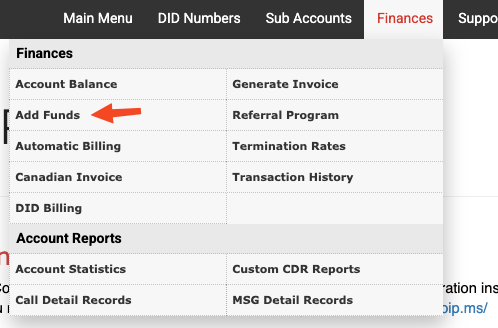
- Add funds. I added $100 so I don't lose the number for a long time.
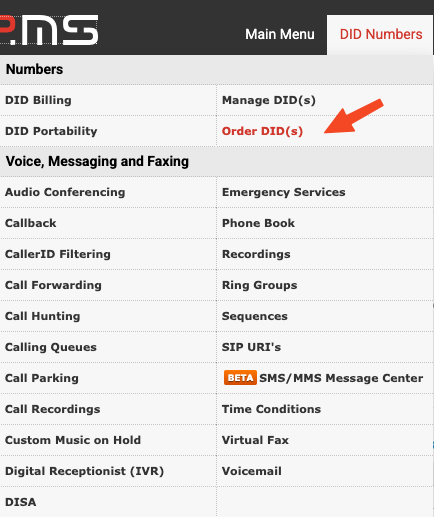
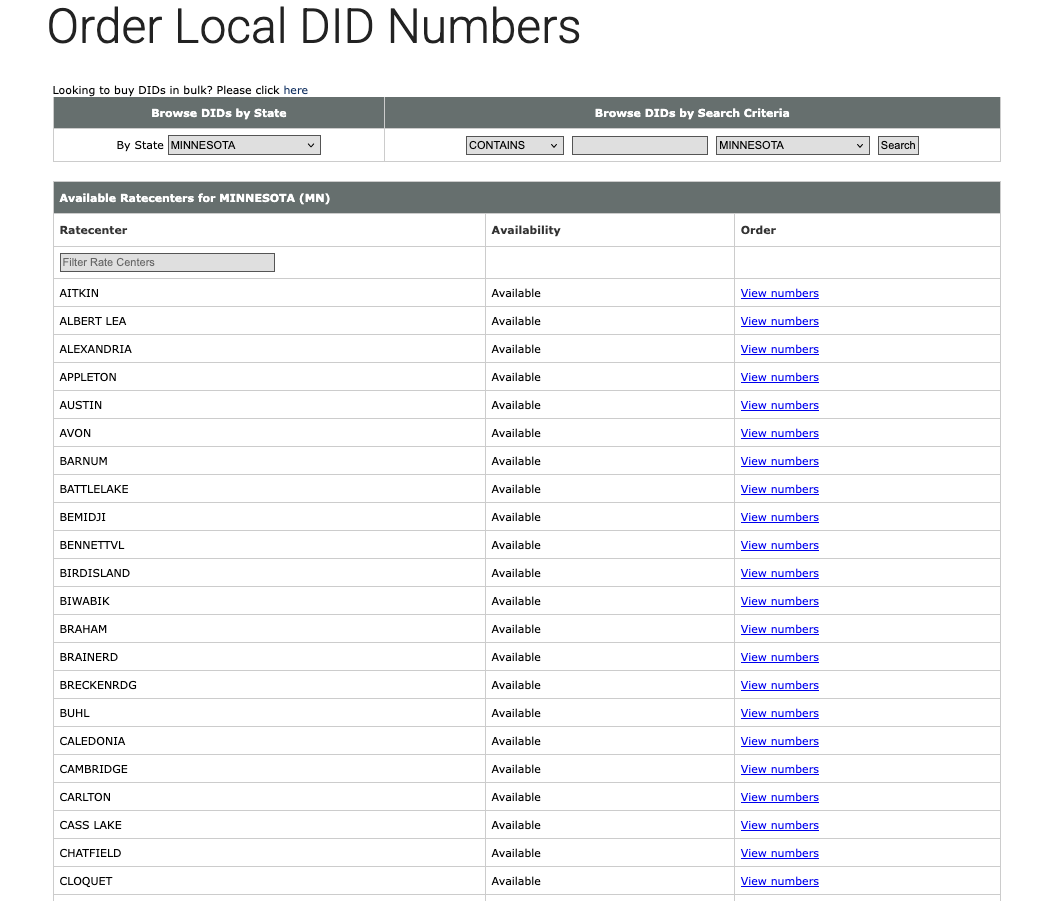
- Buy a number.
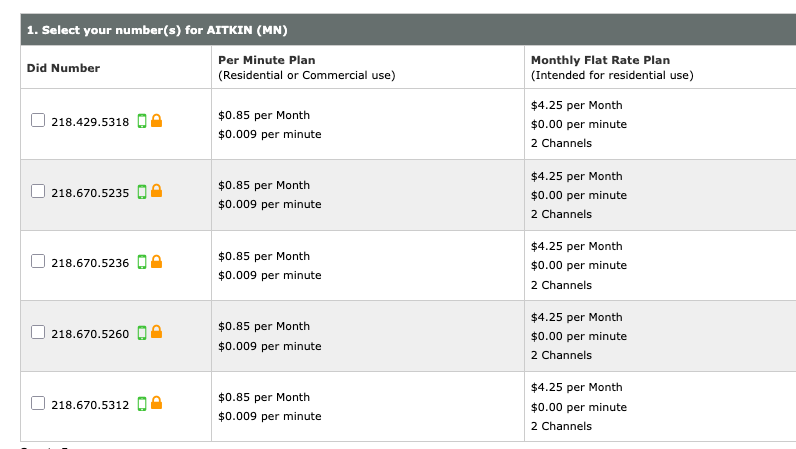
- Select Per Minute Plan unless you plan on using it for a lot of phone calls.

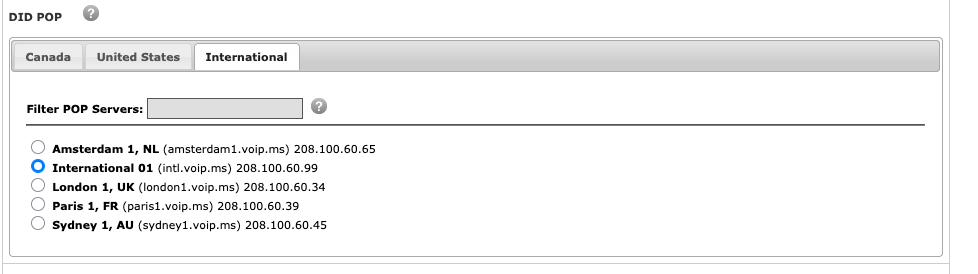
- Select the International DID POP
- Critical Step. Configure the DID.
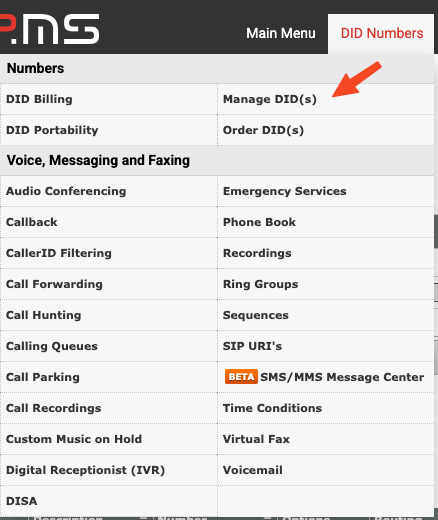
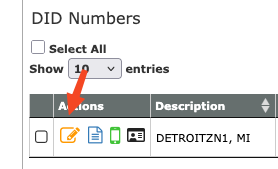
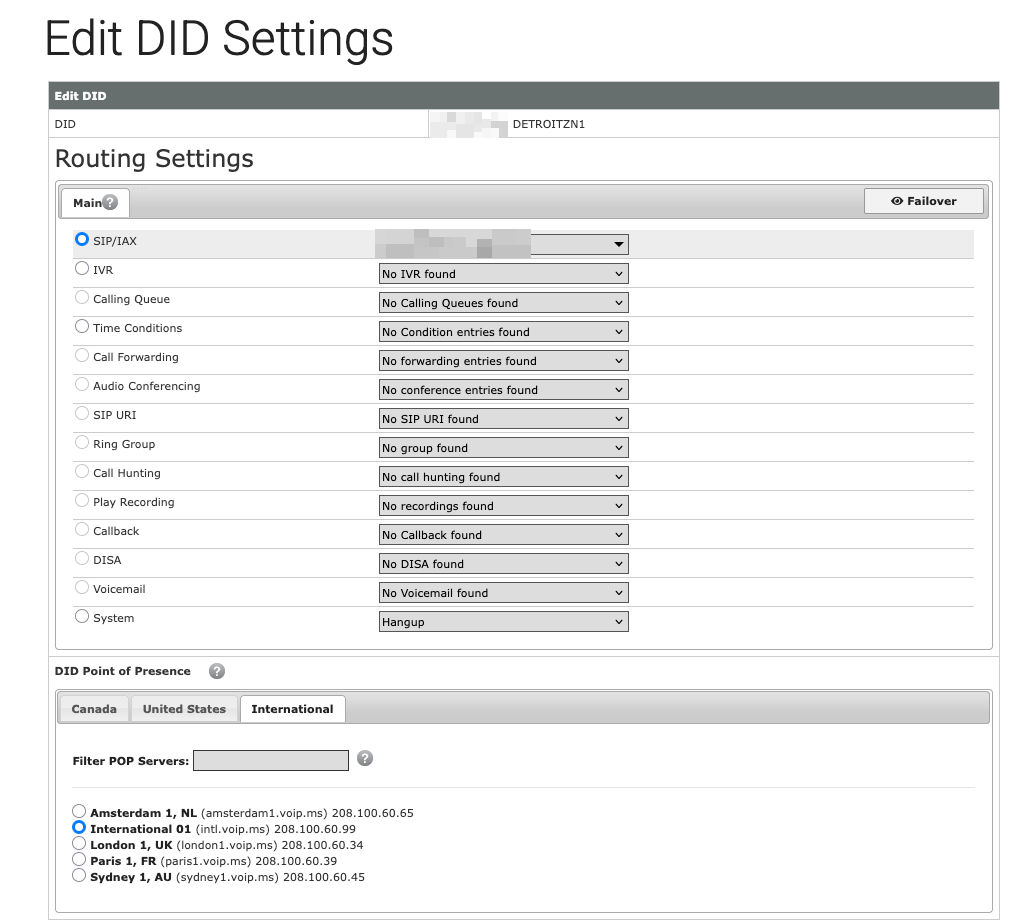
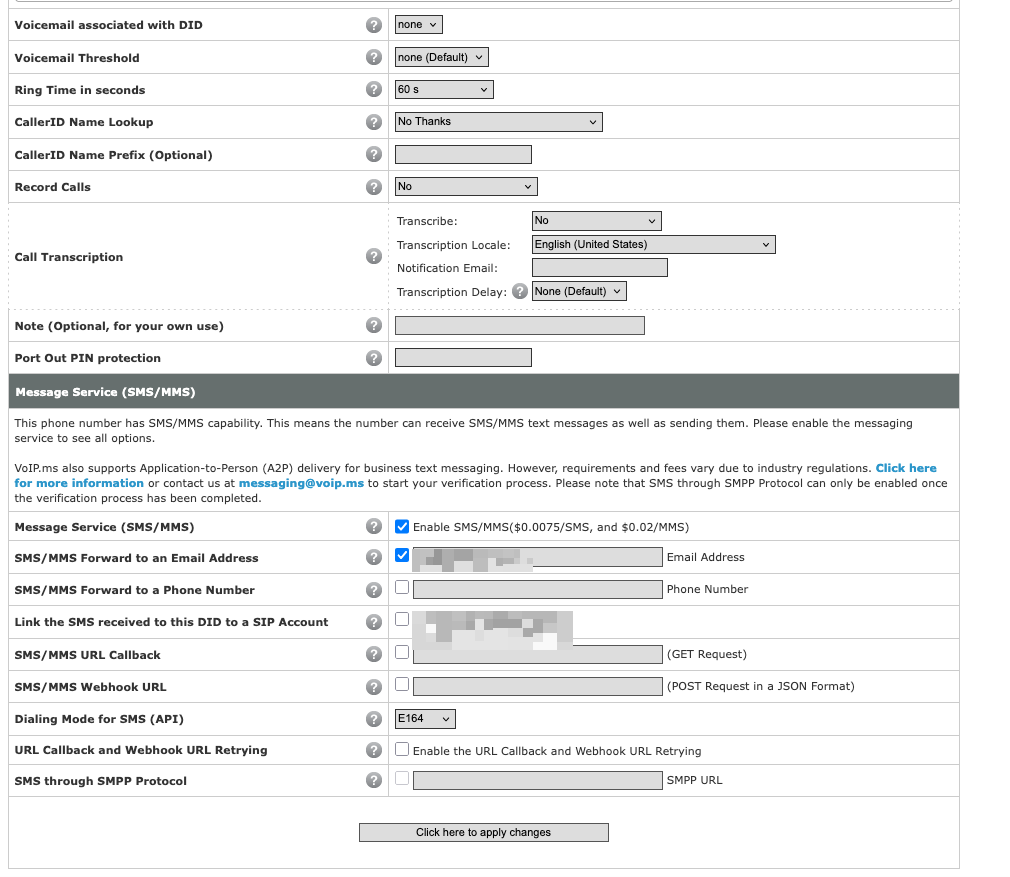
This enables forwarding text messages as emails, which I assume you want but feel free to turn off.
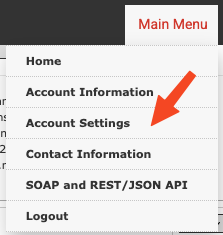
- Critical step: Account settings
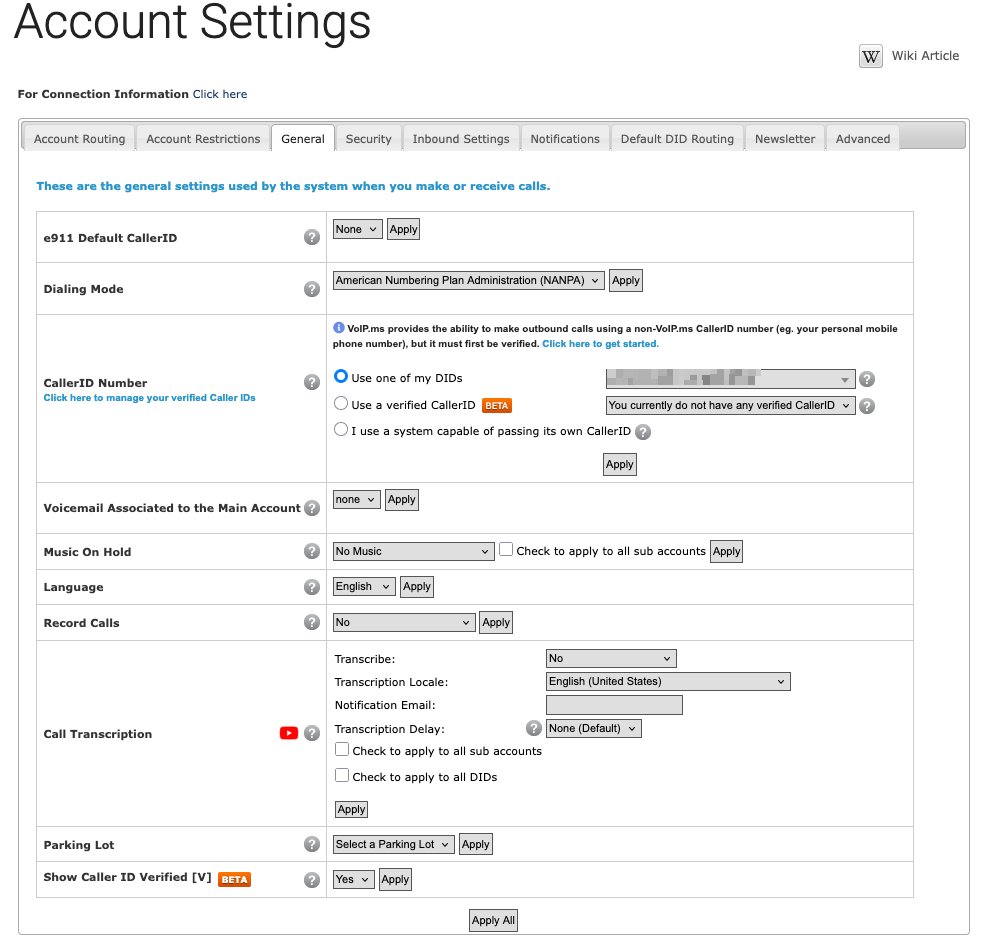
MAKE SURE YOU SET CALLERID NUMBER otherwise nothing else will work.
Also set a password:
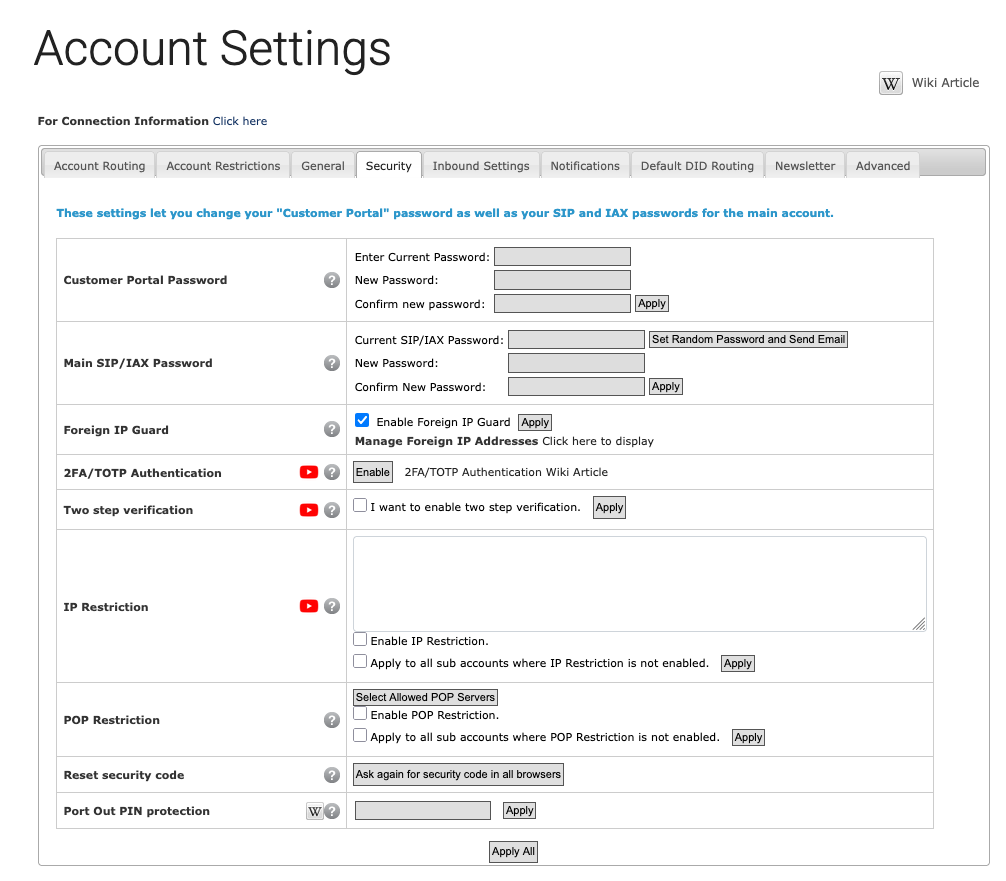
- Get your account ID
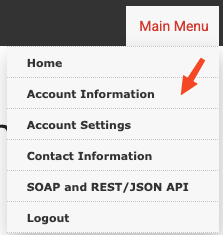
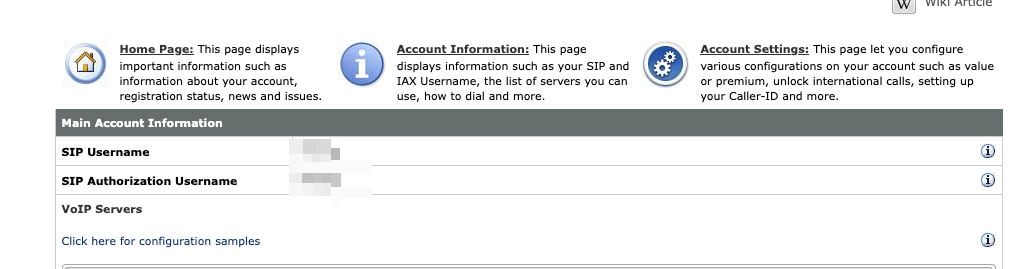
iOS
- Get Acrobits Softphone: https://apps.apple.com/dk/app/acrobits-softphone/id314192799?l=en
- Set up the account as follows:
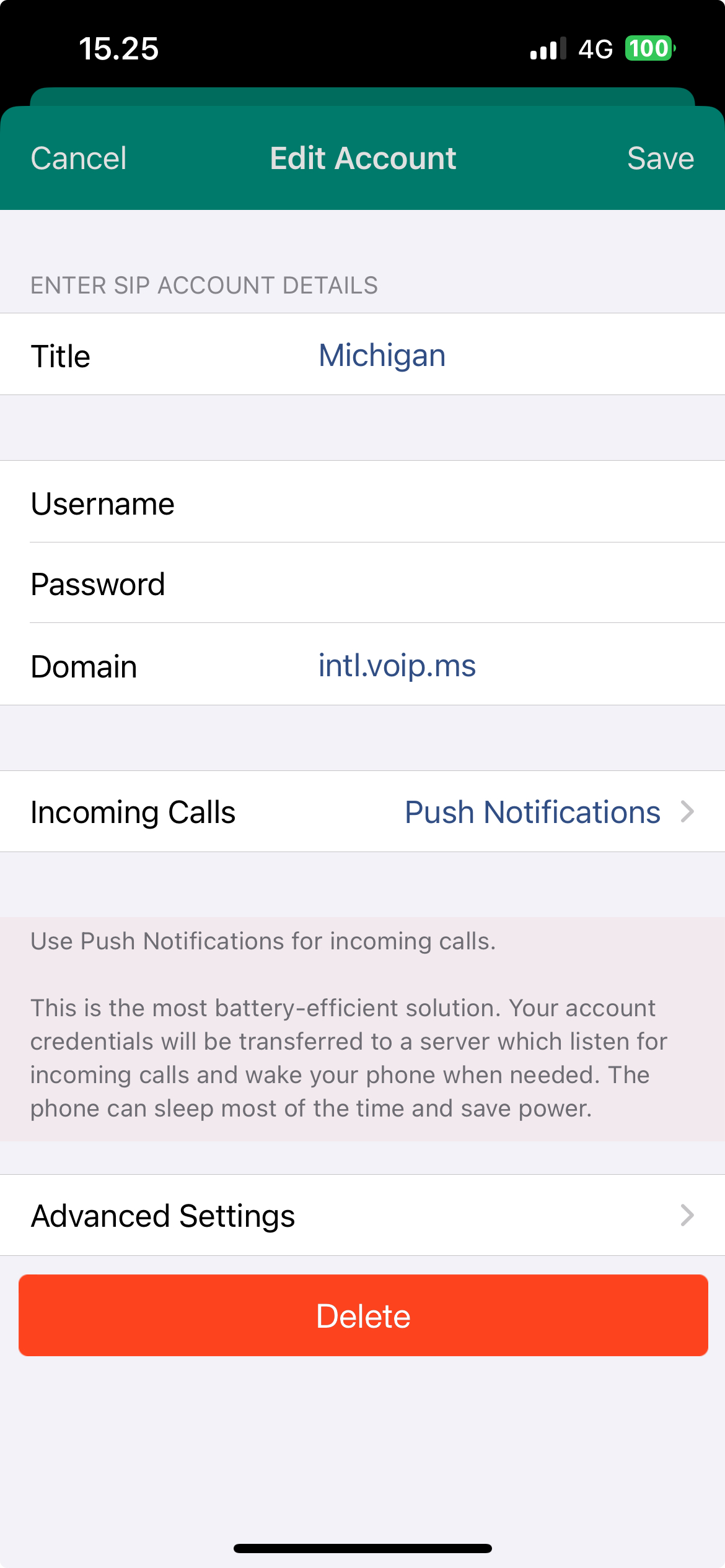
Password is the account password we set before, username is the 6 digit number from the account information screen.
Ta-dah! We're all done. Make sure you can call a test number: 1-202-762-1401 returns the time. Text messages should now be coming in super easily and it will cost you less than $1 a month to keep this phone number forever.
Questions/comments/concerns: https://c.im/@matdevdug